
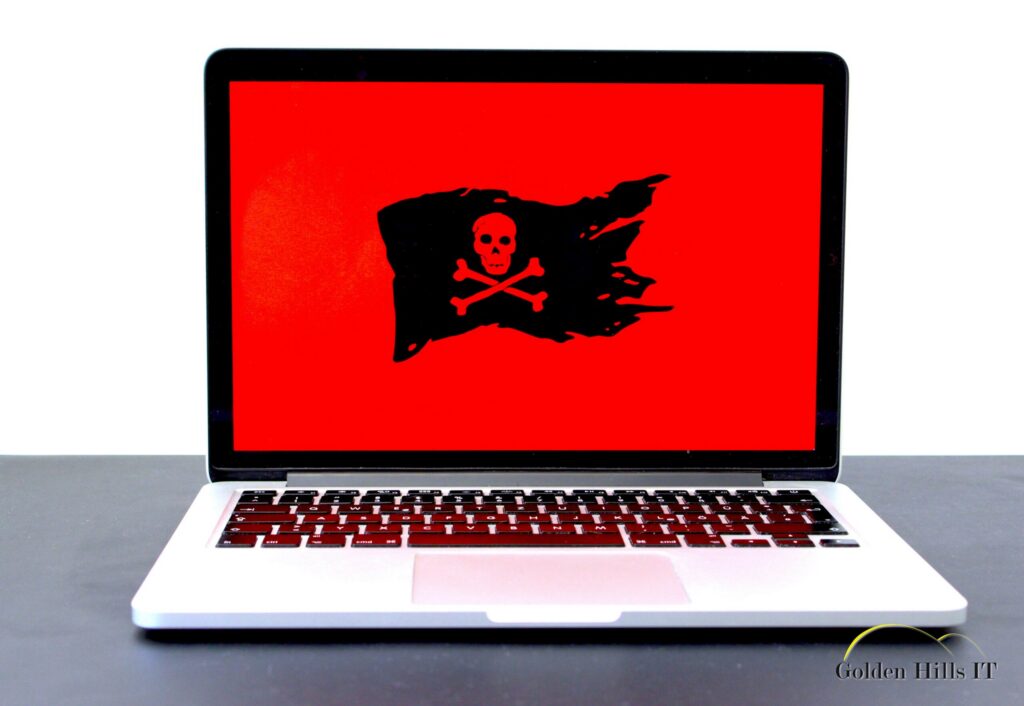
Ransomware is becoming an increasing threat to small businesses, even here in Kern County. While many think that hackers only go after big corporations, small businesses are actually more at risk because they often lack the resources for top-notch security. Understanding how these attacks work can help local businesses defend themselves more effectively.
Quick answer: Small businesses can shield themselves from ransomware by adopting strong cybersecurity practices. These include using phishing-resistant multi-factor authentication (MFA), stopping external email forwarding, and keeping an eye on security alerts. These steps, which are often part of the services businesses already subscribe to, can fend off attacks that exploit common weaknesses.
Key takeaways
- Ransomware attackers often target small businesses because they usually don’t have dedicated security teams.
- Hackers use publicly available information and social engineering tricks to break into systems.
- Setting up phishing-resistant MFA and stopping external email forwarding can block unauthorized access.
- Regularly checking security alerts can help spot potential threats early on.
- Many of these protective measures are already part of Microsoft 365 Business Premium subscriptions.
How do ransomware attacks target small businesses?
Ransomware attacks on small businesses take advantage of their often weaker security setups. Hackers go after businesses with 10 to 50 employees because they have valuable data but usually don’t have the resources for strong security. They gather info from public records and social media to find targets and weak spots.
Steps attackers take:
- Research: Hackers dig through public databases and social media to learn about a business and its employees.
- Credential Purchase: They buy stolen login details from the dark web, sometimes for just $14.
- MFA Bypass: Attackers use tricks like adversary-in-the-middle phishing to sneak past multi-factor authentication.
- System Infiltration: Once they get in, they watch communications to figure out the best time to launch ransomware.
What are the signs of a ransomware attack?
Catching the signs of a ransomware attack early can limit the damage. Look for unusual network behavior, unexpected file encryption, and ransom notes popping up on screens. It’s vital to act fast by disconnecting affected systems and reaching out to IT support.
Checklist to recognize ransomware:
- Unusual Network Traffic: Monitor for spikes in data usage or access requests from unknown IP addresses. This can indicate that data is being exfiltrated or that unauthorized access is occurring.
- File Encryption with Odd Extensions: Files suddenly encrypted with extensions like .lock or .crypt are a clear sign of a ransomware attack.
- Ransom Notes: Messages demanding payment, often appearing as pop-ups or within encrypted files, are direct indicators.
- Unauthorized Email Forwarding Rules: Regularly check for new rules in email settings that you did not create. These could be set by hackers to monitor communications.
- Consistent Review of Security Alerts: Ensure that alerts from security software are not ignored. Assign someone to review these alerts daily, looking for any signs of suspicious activity.
How can small businesses protect against ransomware?
Keeping your business safe means taking proactive steps. Using security features often included in Microsoft 365 Business Premium can greatly lower the risk of ransomware attacks.
Steps to enhance security:
- Enable Phishing-Resistant MFA: Utilize tools like FIDO2 keys or Windows Hello. These methods require physical verification, making it much harder for attackers to gain access even if they have passwords.
- Block External Email Forwarding: This prevents sensitive information from being forwarded to unauthorized parties. Regularly audit email settings to ensure no unauthorized rules are in place.
- Review Security Alerts: Assign a dedicated team member or an IT service provider to review alerts. Set a daily or weekly schedule to ensure this task is not overlooked.
- Educate Employees: Conduct regular workshops or online courses to keep staff informed about the latest phishing tactics and security best practices. Test employees with simulated phishing attacks to assess their awareness.
- Use a Password Manager: Encourage employees to use a password manager to generate and store complex passwords. This reduces the risk of password reuse and makes it easier to change passwords regularly.
What this means for businesses in Kern County
In Kern County, with its blend of urban and rural settings, small businesses face distinct cybersecurity challenges. The distance between towns can slow down in-person IT support, making remote monitoring and proactive security measures even more important. Businesses should prioritize establishing a reliable remote IT support system to ensure they can respond quickly to incidents. This might mean investing in a managed IT service provider that can offer 24/7 monitoring and support.
Practical Steps for Kern County Businesses:
- Invest in Remote IT Support: Look for local IT providers who offer remote services. Ask potential vendors about their response times, the scope of their services, and how they handle emergencies.
- Calculate Downtime Costs: Use tools like the Downtime Calculator to understand the financial impact of potential ransomware attacks. This can help justify the cost of cybersecurity investments.
- Regular Security Audits: Schedule audits at least twice a year to identify vulnerabilities. These can be performed by in-house IT staff or outsourced to professionals for a more thorough review.
What medical and dental offices should do about ransomware
Medical and dental offices handle sensitive patient information, making them prime targets for ransomware attacks. These businesses should focus on:
- Implementing HIPAA-Compliant Security Measures: Ensure that all electronic protected health information (ePHI) is secure and that access is restricted to authorized personnel only.
- Using Phishing-Resistant MFA for Accessing Patient Records: This adds an extra layer of security, making it harder for unauthorized users to access sensitive information.
- Regularly Backing Up Data to Secure, Offsite Locations: In the event of a ransomware attack, having a recent backup can prevent data loss and reduce downtime.
- Training Staff to Recognize and Report Suspicious Activities: Conduct regular training sessions to keep staff updated on the latest phishing tactics and ransomware threats.
Example: Picture a Tehachapi Dental Office
Imagine a dental office in Tehachapi where staff are trained to recognize phishing emails. During a routine check, an employee spots an email that looks suspiciously like a phishing attempt. Instead of clicking on it, they report it to their IT team, who confirms it as a threat. Thanks to their training and vigilance, the dental office avoids a potential ransomware attack, safeguarding sensitive patient data and avoiding costly downtime. This proactive approach also boosts patient trust, as they know their data is well-protected.
Frequently asked questions
Do hackers target small businesses?
Absolutely, small businesses are often targeted because they hold valuable data but lack strong security defenses. Hackers find them easier to infiltrate than large corporations with dedicated security teams.
What is adversary-in-the-middle (AiTM) phishing?
AiTM phishing is when attackers use a fake login page that looks real. When users enter their information, the attacker captures the session token, giving them access without the user knowing.
What is a stealer log?
A stealer log is a collection of credentials gathered by malware from infected devices. These logs are sold on the dark web, giving attackers access to compromised accounts.
How much does it cost an attacker to compromise a small business?
It can cost as little as $14 for stolen credentials, plus a few hours of research and execution, making small businesses attractive targets for hackers.
Are there free tools that would have stopped this attack?
Yes, many preventive measures are included in Microsoft 365 Business Premium, such as phishing-resistant MFA and alert monitoring. Using these tools can significantly reduce the risk of ransomware attacks.
Protect your business with Golden Hills IT
Taking action to secure your business from ransomware is essential. Golden Hills IT, based in Tehachapi, offers expert guidance and support to businesses across Kern County and California special districts. Our services include setting up secure systems, monitoring for threats, and providing staff training. By partnering with us, you can focus on running your business while we handle your cybersecurity needs.
Golden Hills IT provides a Monthly IT Check for Small Businesses in Kern County, which helps keep your defenses strong. We also offer Managed IT Services tailored to local businesses’ specific needs. Reach out for a free, no-pressure IT review to make sure your defenses are up to par. Visit our contact page to get started.