
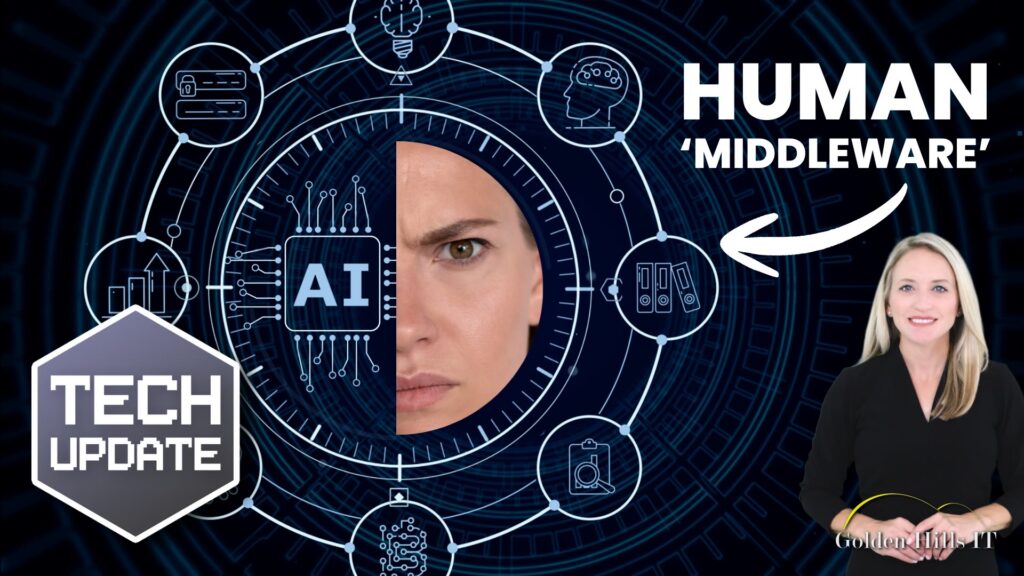
With all the talk about artificial intelligence, you’d think repetitive tasks would be a thing of the past. But here in Bakersfield and beyond, a lot of businesses find their employees tangled up in the very tech that was supposed to set them free. Instead of focusing on what really matters, workers are turning into “AI middlemen,” caught in the web of incompatible systems.
Quick answer: Employees stuck as “AI middlemen” often end up manually shuffling data between systems that don’t talk to each other, which throws a wrench in productivity. To fix this, businesses should aim to streamline workflows and integrate systems so that technology actually boosts, rather than drags down, work efficiency.
Key takeaways
- AI can unintentionally pile on admin work if systems aren’t synced up.
- Workers often become “AI middlemen,” manually bridging system gaps.
- Proper system integration can reclaim lost time and efficiency.
- It’s worth revisiting and fine-tuning your tech strategy.
- Bakersfield businesses can tap into local IT support to smooth out processes.
What is “AI middleware,” and why does it matter?
When employees spend their time moving data between systems, they become “AI middleware.” This happens when AI tools don’t fit neatly with existing systems, forcing workers to bridge the gaps by hand. The upshot? More time spent on coordination and less on meaningful work.
Why does this happen?
AI tools often develop faster than the systems they’re supposed to enhance, leading to clunky integrations. For example, an AI tool might need data from a source it can’t access directly, which calls for manual help. This can create a twisted workflow where employees must juggle tasks, lowering overall efficiency.
How do I know if my business has “AI middlemen”?
To see if your team is acting as “AI middlemen,” watch their workflow. If employees often switch between apps to move data, fix AI outputs, or manually check data consistency, it’s likely a sign that your systems aren’t playing well together.
Steps to Identify AI Middleware Roles
- Audit Workflows: Look into daily tasks for unnecessary manual steps. This can be done by shadowing employees for a day or reviewing task logs.
- Interview Employees: Ask staff about task efficiency and any frustrations. Questions like “What part of your day feels most repetitive?” can uncover hidden inefficiencies.
- Monitor Software Usage: Use tools to see which apps employees spend the most time on. Applications like RescueTime or Time Doctor can provide insights.
- Analyze Data Flow: Spot bottlenecks where manual data entry is common. This might involve mapping out the journey data takes from start to finish.
- Evaluate AI Output: Check if AI results frequently need manual tweaks. This can be assessed by comparing the initial AI output with the final product after human intervention.
How can businesses integrate AI systems better?
To cut down on “AI middlemen,” businesses should focus on effectively integrating their AI systems. This means making sure all tools communicate smoothly and data flows without human intervention.
Checklist for Better Integration
- Map Existing Systems: Identify current software and how they interact. This step involves creating a visual representation of your tech stack and data flow.
- Choose Compatible Tools: Opt for AI solutions that fit with existing systems. Consulting with a tech expert can help in selecting software that integrates well.
- Invest in APIs: Use application programming interfaces to link different systems. APIs can automate data exchange, reducing manual input.
- Regularly Update Software: Keep systems updated for best compatibility. Set a schedule for software updates to ensure all systems are running the latest versions.
- Train Employees: Teach staff to use integrated systems effectively. Regular training sessions can keep everyone on the same page and improve efficiency.
What this means for businesses in Bakersfield
For Bakersfield businesses, where rural internet and long distances can already complicate things, having employees act as “AI middlemen” only adds to the hassle. Streamlining and syncing systems can save precious time and resources, letting employees focus on bigger, strategic tasks. Local IT support, like Golden Hills IT’s managed services, can offer the expertise needed to fine-tune your tech setup.
Example: A Bakersfield Agricultural Company
Picture a Bakersfield agricultural company that relies on AI for crop monitoring. If their systems aren’t integrated, employees might spend hours manually transferring data from drones to analysis software. By consulting with local IT experts, they could implement APIs that automate this data transfer, freeing up employees to focus on optimizing crop yields instead.
What law firms should do about AI middleware
Law firms, which rely heavily on precise data and confidentiality, must ensure their AI systems are well-integrated. Lawyers and paralegals should concentrate on legal work, not on wrestling with tech issues. By auditing workflows and using compatible legal tech solutions, firms can cut down on inefficiencies and boost productivity. Golden Hills IT’s services for law firms can help streamline these processes.
Steps for Law Firms
- Conduct a Tech Audit: Review all current software and identify integration gaps.
- Implement Legal-Specific AI Tools: Choose AI solutions designed for legal tasks, such as contract analysis or e-discovery.
- Enhance Data Security: Ensure all integrated systems meet legal data protection standards.
- Provide Training: Offer continuous training on new systems and updates to keep the team proficient.
Frequently asked questions
What is AI middleware?
AI middleware refers to employees who act as go-betweens for non-integrated AI systems, manually moving data and maintaining consistency. This often happens when AI tools don’t mesh smoothly with existing systems, increasing admin tasks.
How can I tell if my employees are overwhelmed by AI tasks?
If employees often move data between systems, fix AI outputs manually, or spend too much time on non-core activities, they might be swamped by AI tasks. Watching workflow and getting employee feedback can offer insights.
Why do AI tools often require manual intervention?
AI tools may need manual help when they’re not fully integrated with existing systems. This can happen if data sources clash or AI outputs need human correction for accuracy and relevance.
How can integrating AI systems benefit my business?
Integrating AI systems can cut back on manual tasks, streamline workflows, and boost productivity. By making sure all tools work well together, employees can focus on meaningful activities instead of admin work.
What role does local IT support play in system integration?
Local IT support can be key in system integration by offering expertise, managing updates, and providing tailored solutions to meet specific business needs. For Bakersfield businesses, this means using local knowledge to optimize operations.
Ready to streamline your technology with Golden Hills IT?
If your Bakersfield business is feeling bogged down by “AI middlemen,” it might be time to rethink your tech strategy. Contact Golden Hills IT for a free, no-pressure IT review. We can assess your current setup and recommend actionable steps for improvement. Based in Tehachapi, we specialize in serving Kern County and California special districts, helping businesses get the most out of their technology for better efficiency and productivity.
Steps to Get Started with Golden Hills IT
- Schedule an Initial Consultation: Reach out via our website or phone to set up a meeting.
- Discuss Your Needs: Share your current challenges and goals with our team.
- Receive a Customized Plan: We’ll provide a tailored strategy to integrate and optimize your systems.
- Implement Solutions: With our guidance, make the necessary changes to streamline your operations.
- Ongoing Support: Benefit from continuous support and updates to keep your systems running smoothly.